Knowledge Base

Every source, one place

Word, PDF, web pages, email — everything arrives as standard Markdown; edit in rich-text or source mode, data stays local, locks and export always in your hands.

Free to start·Local data·Works offline
MemoBrain · Knowledge Base
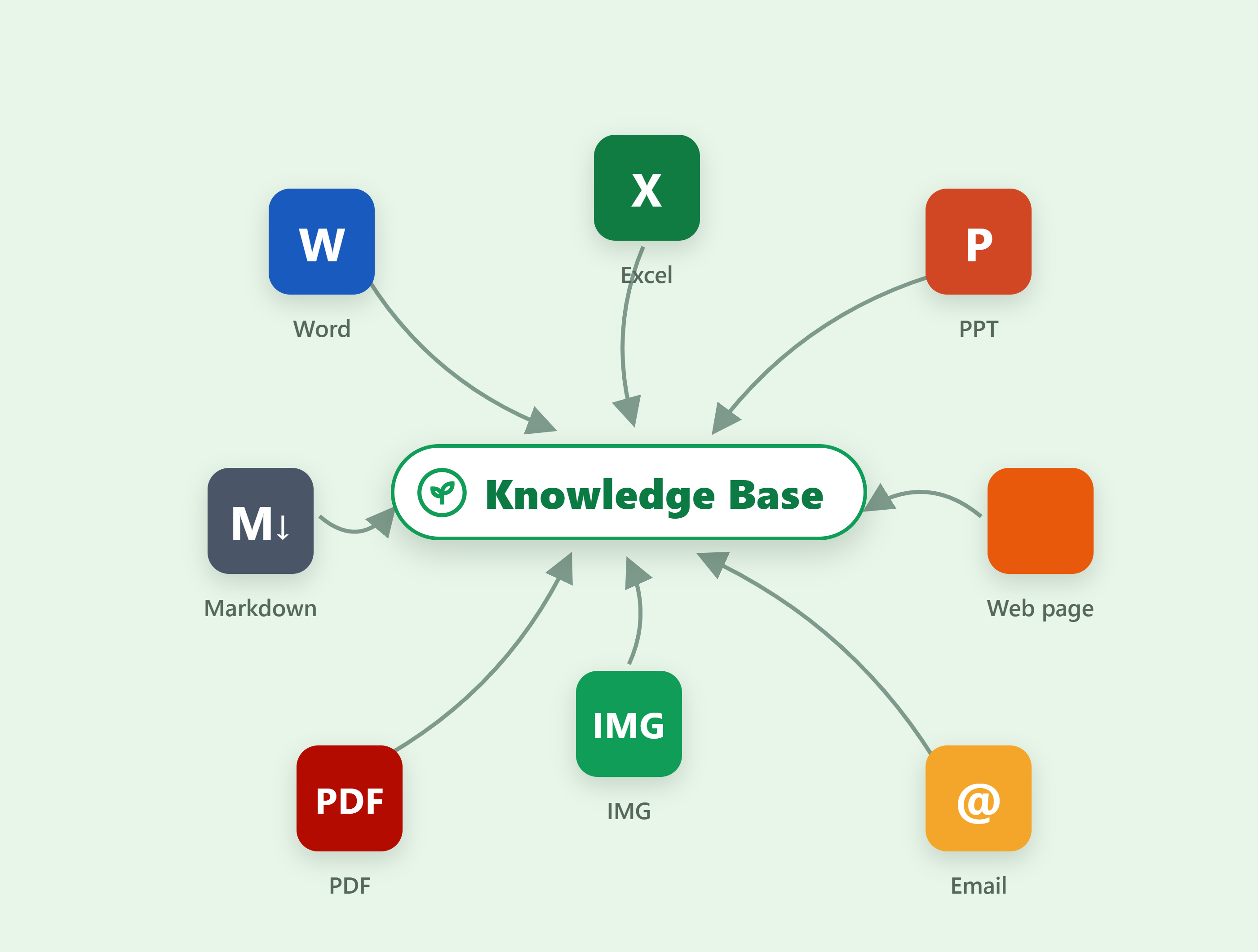
Multi-format import for the MemoBrain knowledge base: Word, Excel, PPT, web, Markdown, PDF, images and mail arcing into the central library, all converted to entries

One library for every source · auto-taggedFull-text search · tag filters on demand

13 formatsWord · PDF · web · email · images
Dual editingWYSIWYG + source, free switch
Local-firstPlain .md · locks · one-click export
01

13 formats,
one library

Documents, clips, email, canvas diagrams — every source arrives auto-filed into folders and tagged; search titles, bodies and tags globally, entries ready on demand.

Web clipping Email / Readwise Canvas diagrams in
Browser clipper
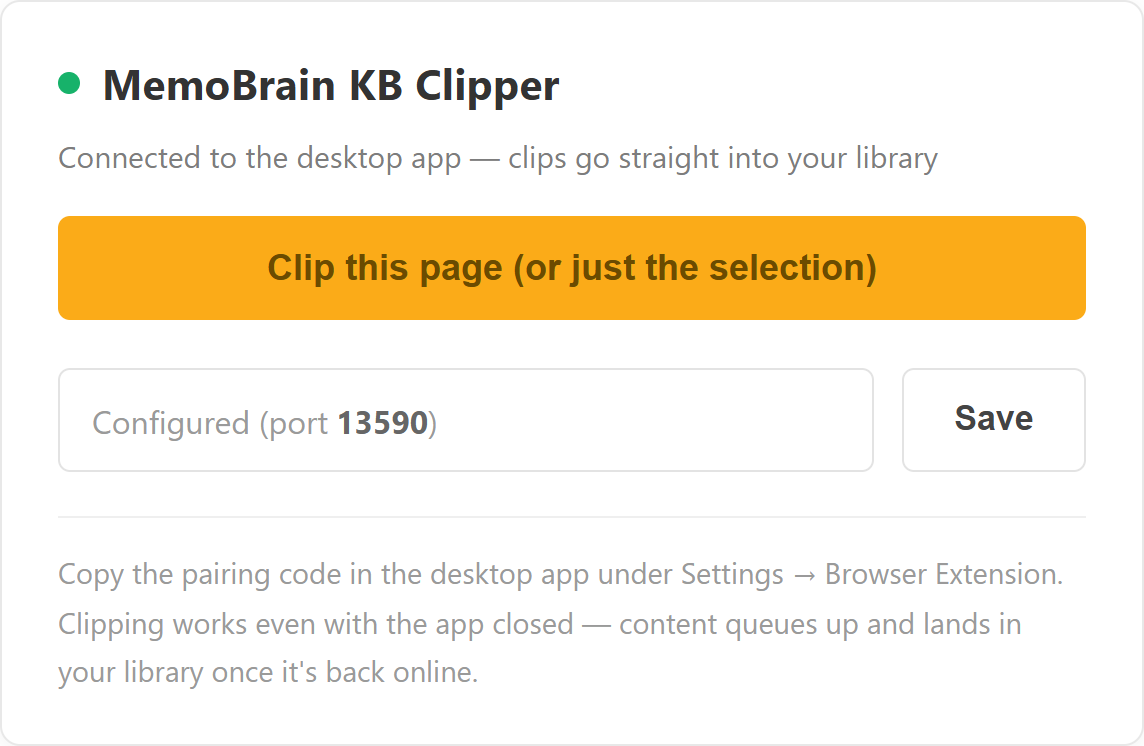
The browser clipper: the MemoBrain clipping panel connected to the desktop app (port 13590) — Clip Page saves in one click, or clips just the selection; works even when the app is closed, queueing until it's back
Knowledge base · auto-filing
The knowledge-base workspace: left toolbar with new / import / to-dos and a paste-a-URL-to-fetch input, file management (AI categorize / scheduled) and the folder tree; a folder grid on the right; new note, new folder, import, export-all and clear along the top

Clip the page · or just the selectionFetch the body · auto-filed into folders

02

Entries as
standard Markdown

Write in WYSIWYG, refine in source — both modes a switch away; underneath it’s plain .md any editor opens. Data sovereignty is yours.

WYSIWYG rich text Source / split / preview Plain .md storage
Rich-text editor
The rich-text editor on an AI-drafted article — Current mind map → document: the H3 style active on the formatting toolbar, Rich Text / Source toggle top right, and the entry header with lock, AI tidy, Export, Word and PDF above 9,191 characters of clean prose

WYSIWYG · source is one click up topPlain .md underneath · opens anywhere

03

To-dos & Gantt,
schedules at a glance

To-dos live with your library — categorized, overdue auto-pinned; list, calendar and Gantt views switch freely. Items with dates land on the Gantt; undated ones are still counted, none lost.
List / calendar / Gantt Overdue pinned Bulk actions · archive
All to-dos · auto-buckets
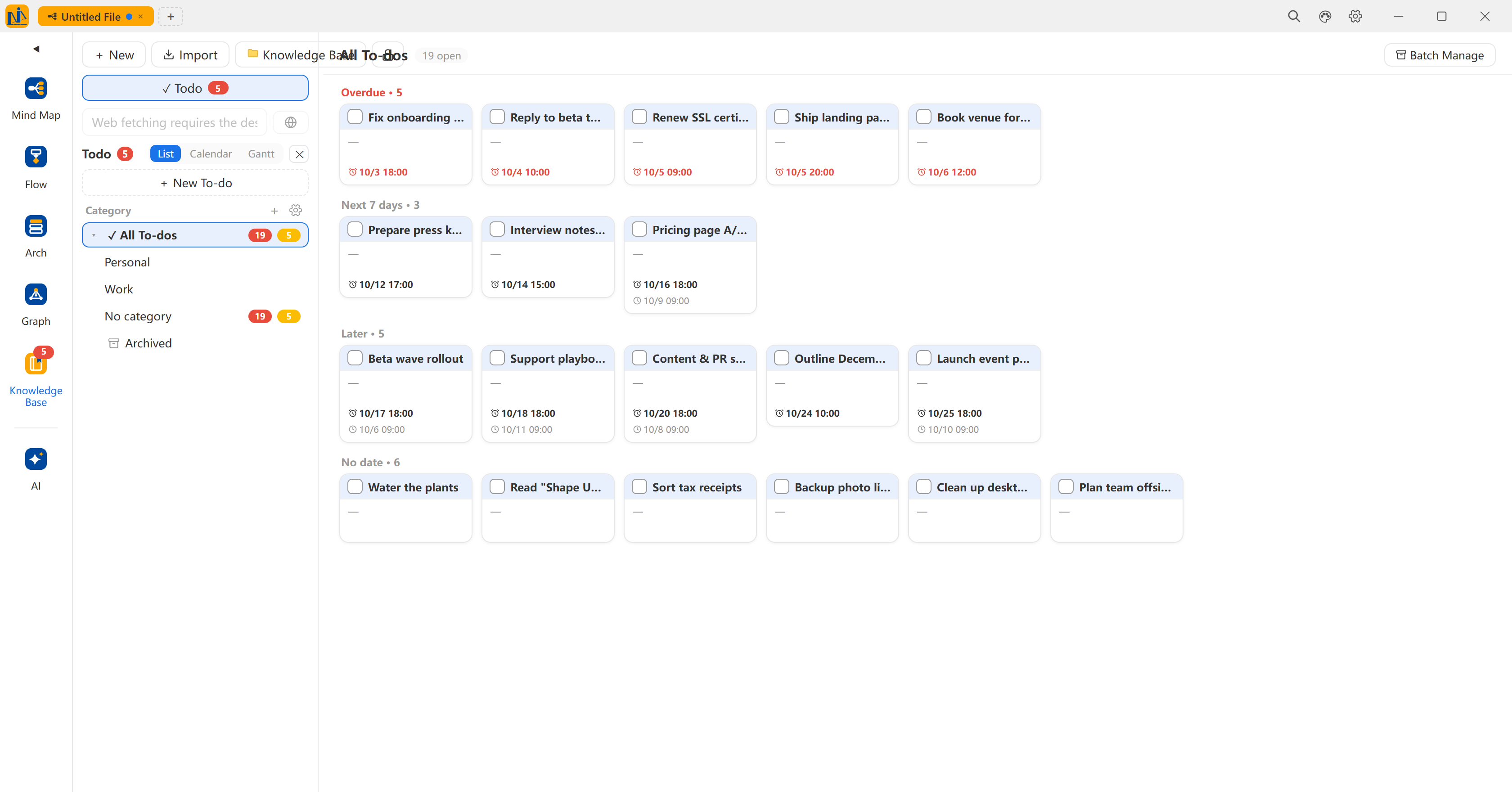
All to-dos: 18 open items auto-bucketed — 6 overdue, 2 in the next 7 days, 1 later, 9 undated; cards carry category badges and deadlines, with a category list and quick-add on the left and list / calendar / Gantt switching plus bulk actions on top
To-do Gantt
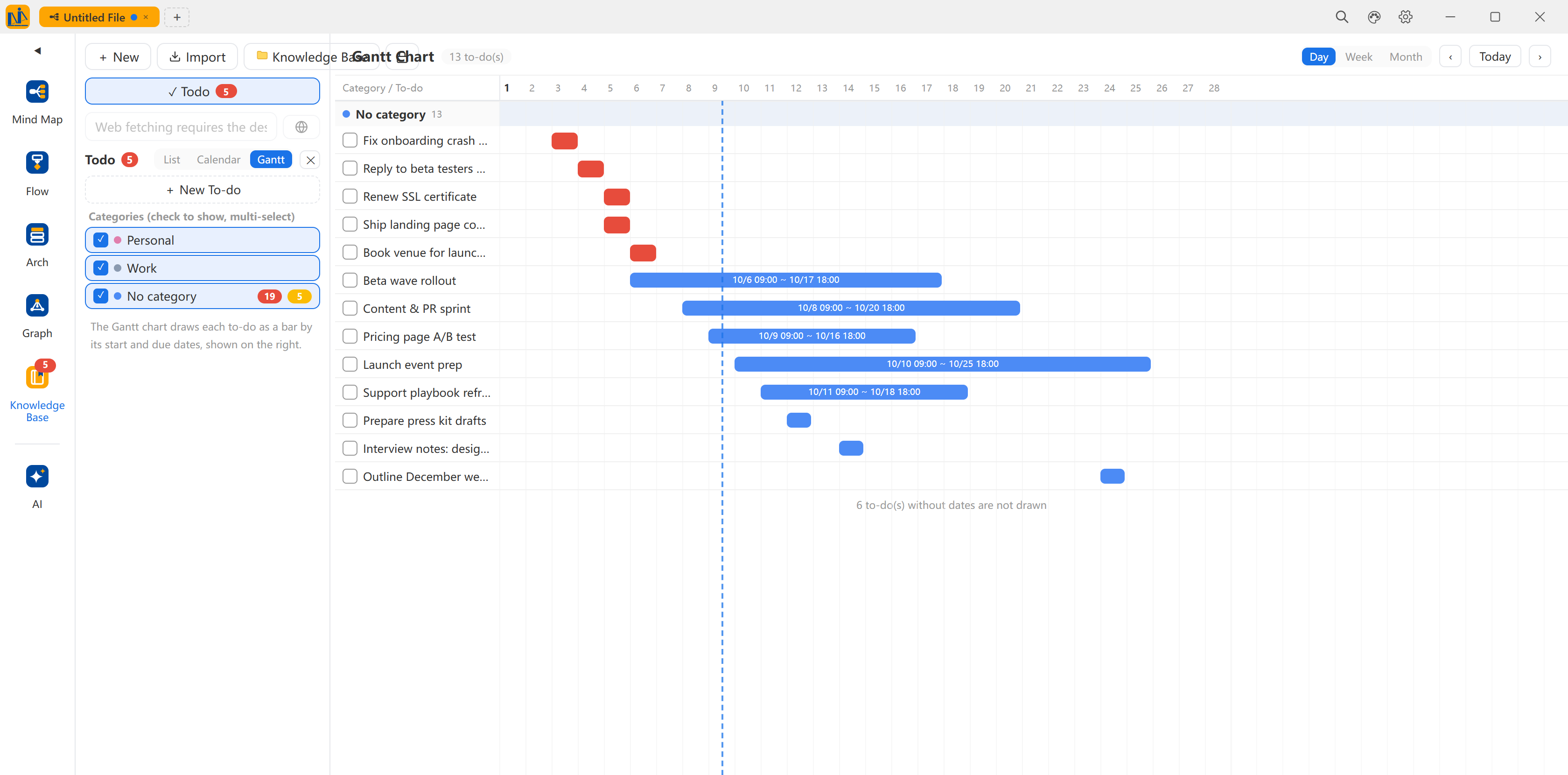
The to-do Gantt: 9 to-dos in three bands (personal, work, uncategorized); dated items draw as span bars (e.g. 10/6 10:09 – 10/17 10:09), single-day items as short blocks, a today line for reference, day / week / month zoom, and a note that 9 undated to-dos stay off the chart

Overdue · next 7 days · later · undated, auto-bucketedUndated stay off the chart · always counted

04

Local storage,
private by design

Data stays on your machine by default — locks constrain AI and auto-collection only, manual editing unaffected; export Word / PDF backups anytime, and AI chat can cite the library.


Read-only / import locks Entry / folder scope Word / PDF export
Knowledge-base locks
KB protection locks: two checkboxes — a read-only lock (AI cannot add, modify, delete or organize entries) and an import lock (web clips, email, Readwise, web scraping and AI saves all rejected), with a note that the locks only constrain AI and automated capture — manual editing is unaffected
Editor header · export
The entry editor header: lock, AI tidy, export, Word, PDF and delete in one toolbar — backups in a click

Locks bind AI, not youSensitive content: lock and export anytime

Now, build your knowledge base

Start free — sources arrive as Markdown, yours to take, always.

Local data · Works offline