AI Features

From one sentence to a knowledge base

Generate, automate, deep-read — AI isn’t a chat box. It wields dozens of agent tools directly on your canvas and knowledge base. It drafts 80%, you polish 20%.

Free to start·Local data·Works offline
MemoBrain · AI Assistant
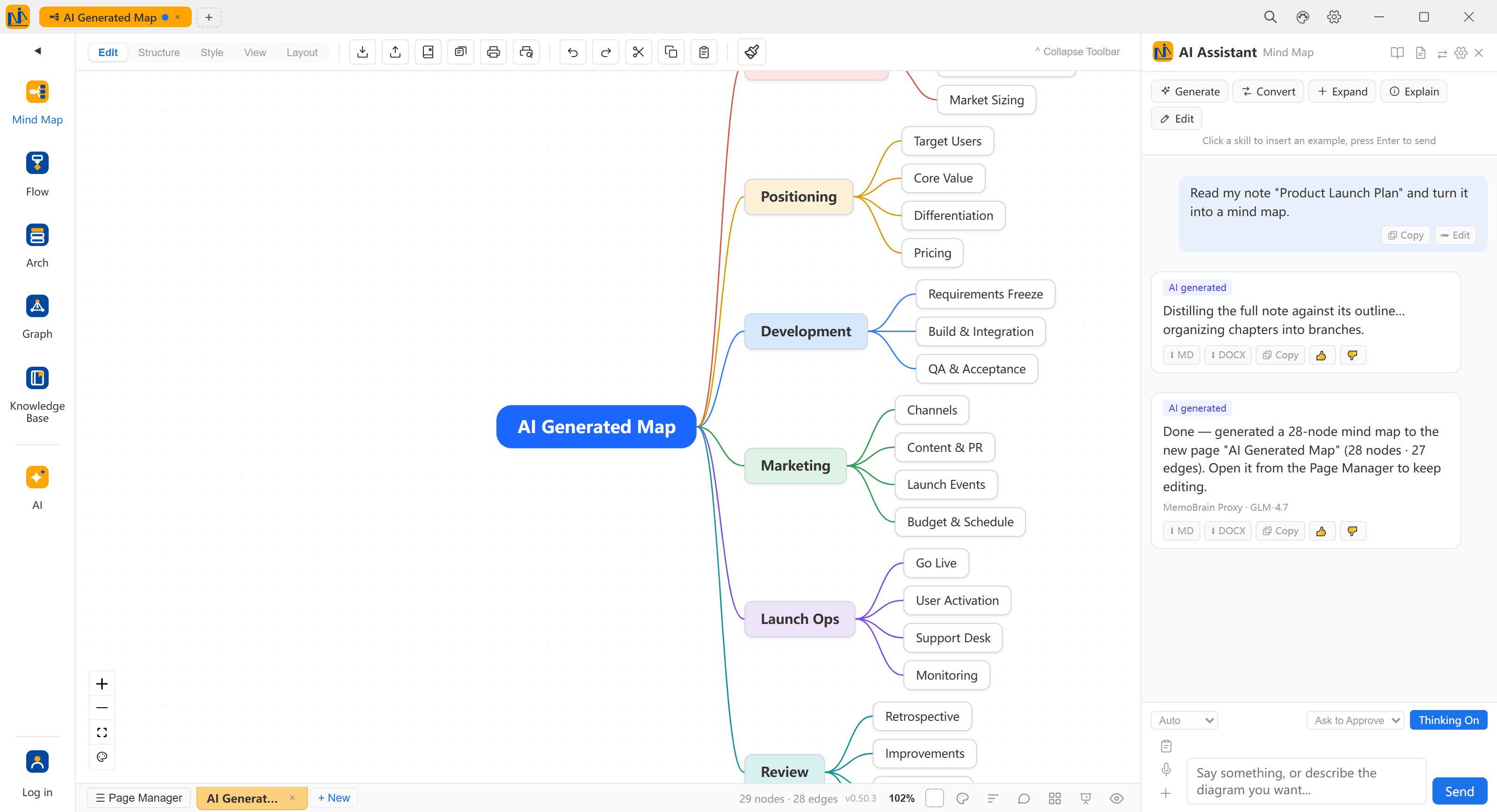
MemoBrain live shot: the AI assistant with a knowledge-base note attached; one deep-read prompt later, a 28-node mind map lands on canvas and a new page is created automatically

Canvas as draft: nodes, connectors and layout all stay editableAI does 80%, you polish 20%

3 diagram typesMind maps · flow · architecture, one sentence each
6 task typesScheduled tasks run on time · misses auto-rerun
Deep readingSingle doc · whole folder · cited answers
01

Mind maps, flow, architecture,
one sentence each

Topics, minutes or a whole document — AI picks the layout, arranges the structure and draws the connectors, landing an editable diagram rather than a frozen picture. Keep chatting to refine.

Auto layout Editable on arrival Refine by chat
MemoBrain · AI Mind Map

Live: one sentence, the map grows node by nodeAI creates the page and lays it out

02

Keep chatting,
AI edits on the canvas

“Expand this branch.” “Switch to a swimlane.” “Split this into three steps.” — editing feels like chatting; scenes like layered, swimlane, sequence and roadmap are generated as whole sets. Plan mode has AI list the steps first — nothing lands until you approve.
Chat-style editing Whole-scene generation Plan-mode approval
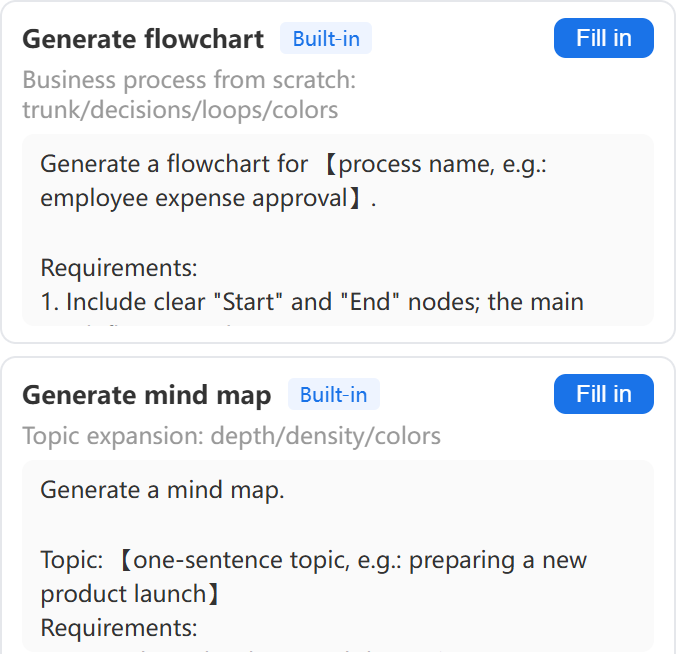
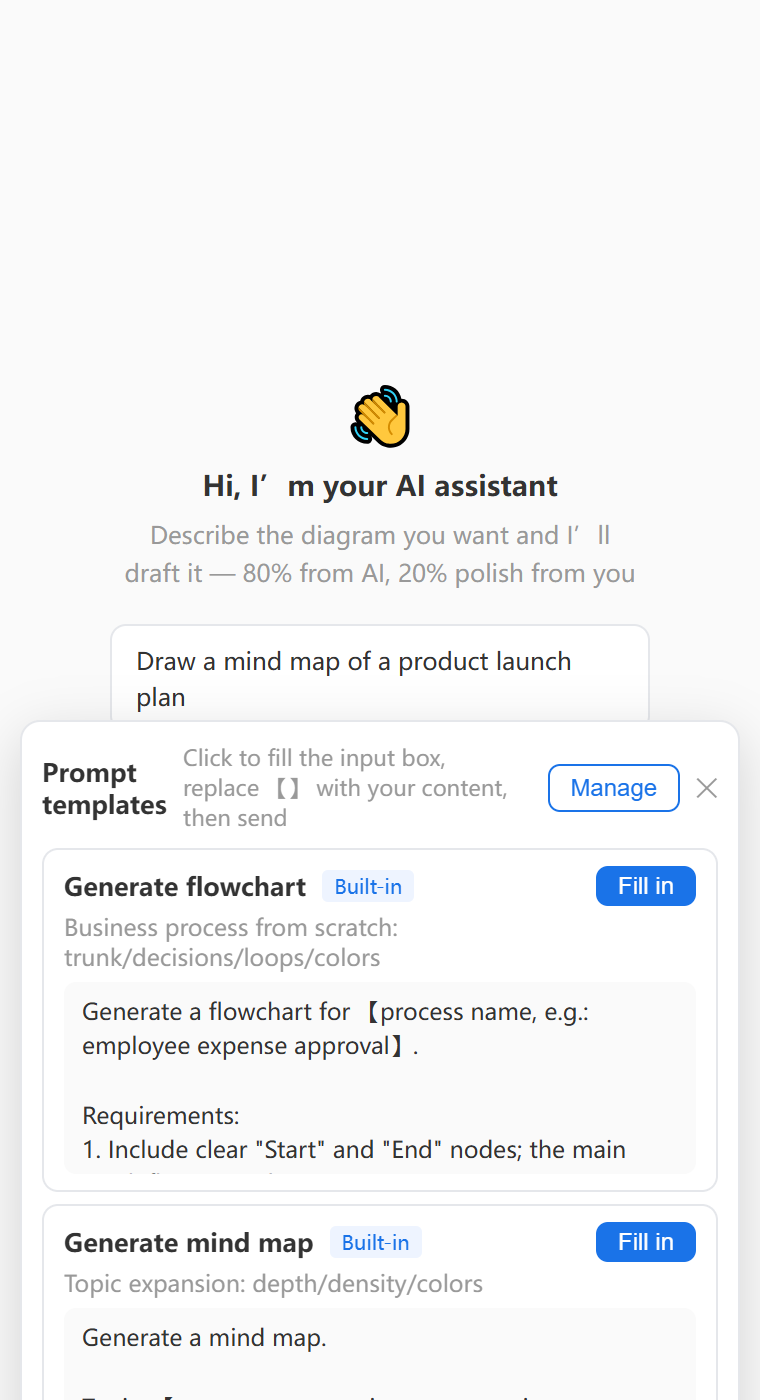
Input template panel: built-in templates for flowcharts and mind maps; click Fill to load one, swap the placeholders for your content and send
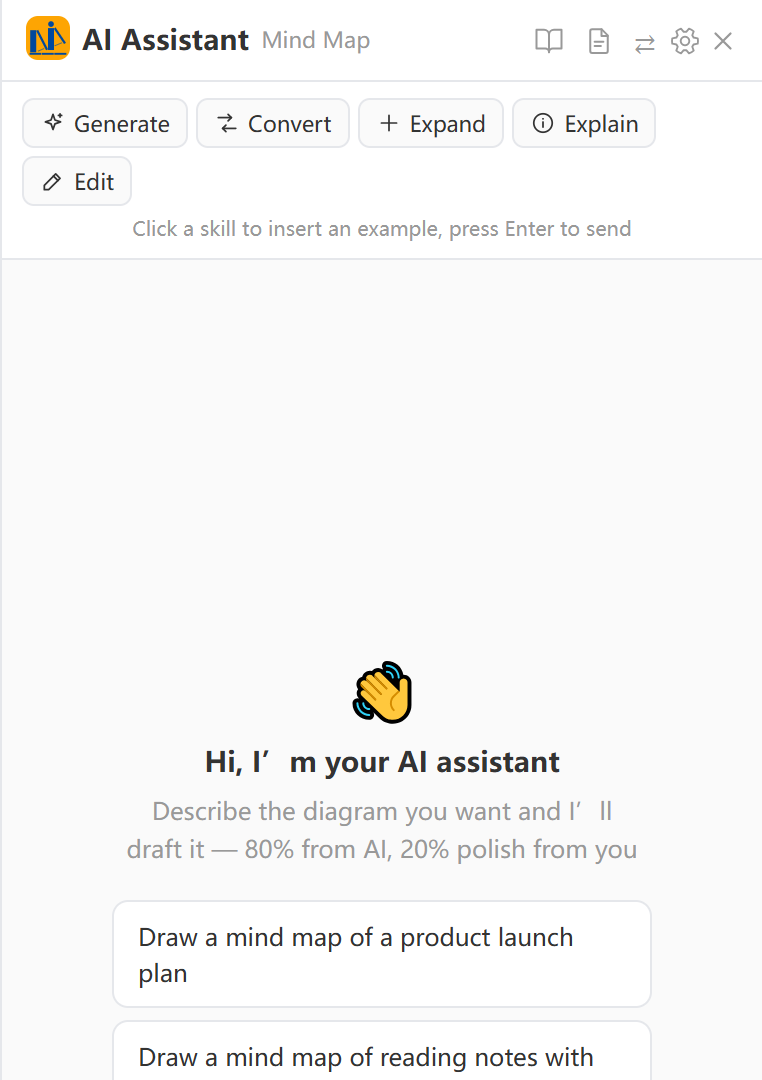
AI assistant panel: five skill cards (generate / convert / expand / explain / edit) with sample lines, plan mode and thinking toggles at the bottom

Input templates: swap placeholders and goSkill cards · plan mode · thinking toggle

03

AI scheduled tasks,
on duty

Let AI tend your knowledge base on a schedule — tasks run on time while the app is open, missed ones auto-rerun at next launch; tidy-up tasks snapshot first, with whole-library rollback in one click.
Sources to notes Tidy the library Library to diagram Email sync
MemoBrain · Scheduled Tasks
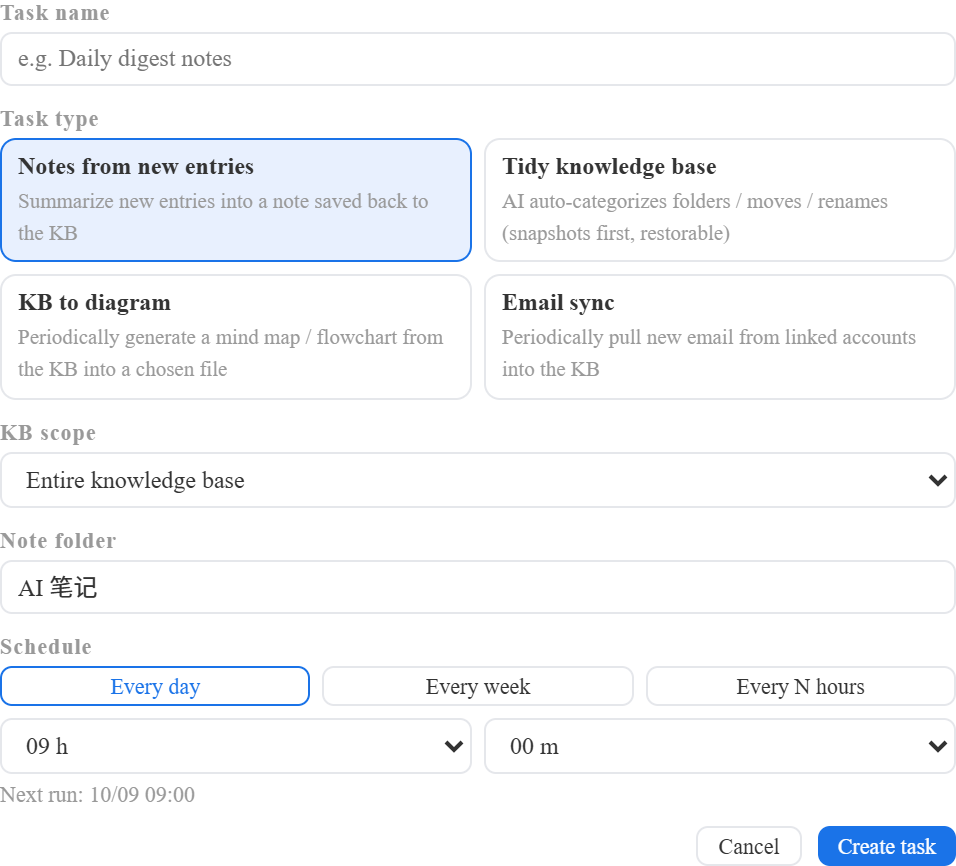
New-task form: six task types (sources to notes / tidy the library / library to diagram / email sync / web research / periodic reports), library scope, save folder and daily / weekly / every-few-hours plans

Four task types · daily / weekly / every few hoursSnapshot before tidy-ups · whole-library rollback

04

AI deep reading,
answers trace their source

Deep-read one document into an outline, or an entire folder into a system; answers cite library entries and trace back to sources — long works read section by section, resuming where you left off.
Single doc Whole folder Cited answers
The pick-from-library panel: search and check folders as the reading scope
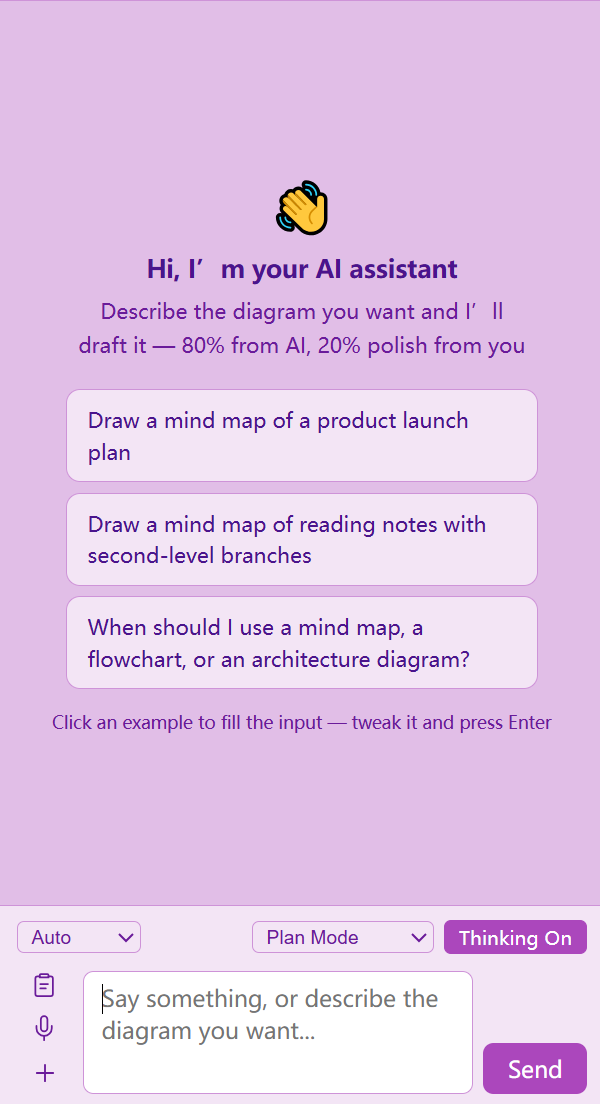
The AI assistant panel: describe the diagram you want — example prompts fill the input in one click, press Enter to send

Pick the reading scope from your libraryDescribe it in one sentence — AI drafts the rest

Now, give AI your first sentence

Start free — everything generated is an editable diagram.

Local data · Works offline