Flowcharts

Branches and loops, zero line crossings

Sketch freely, let the tool tidy up — one click turns drafts into clean engineering diagrams with aligned trunks and routed loops; 172 shapes and skeleton blocks are one click away, so you get the flow right without fighting lines.

Free to start·Local data·Works offline

MemoBrain · AI Flowchart

Live: one sentence — outline first, diagram nextDecision branches · loops · auto-landed

1-click tidyZero crossings · arranged layouts stay put
172 shapesBasic · swimlane · BPMN · state machine
Skeleton blocksInsert & auto-connect · paired layouts
01

One-click tidy-up,
zero crossings

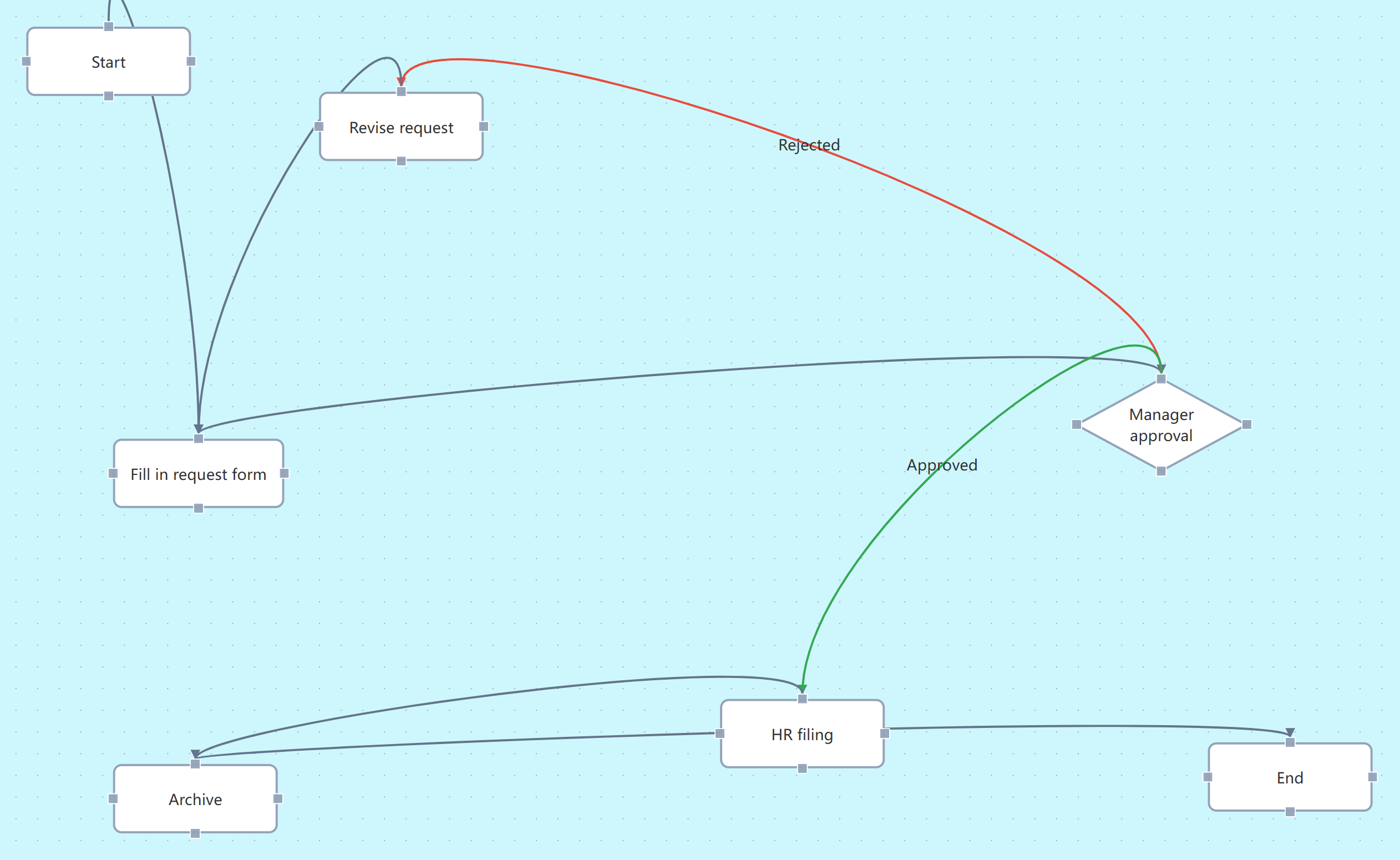
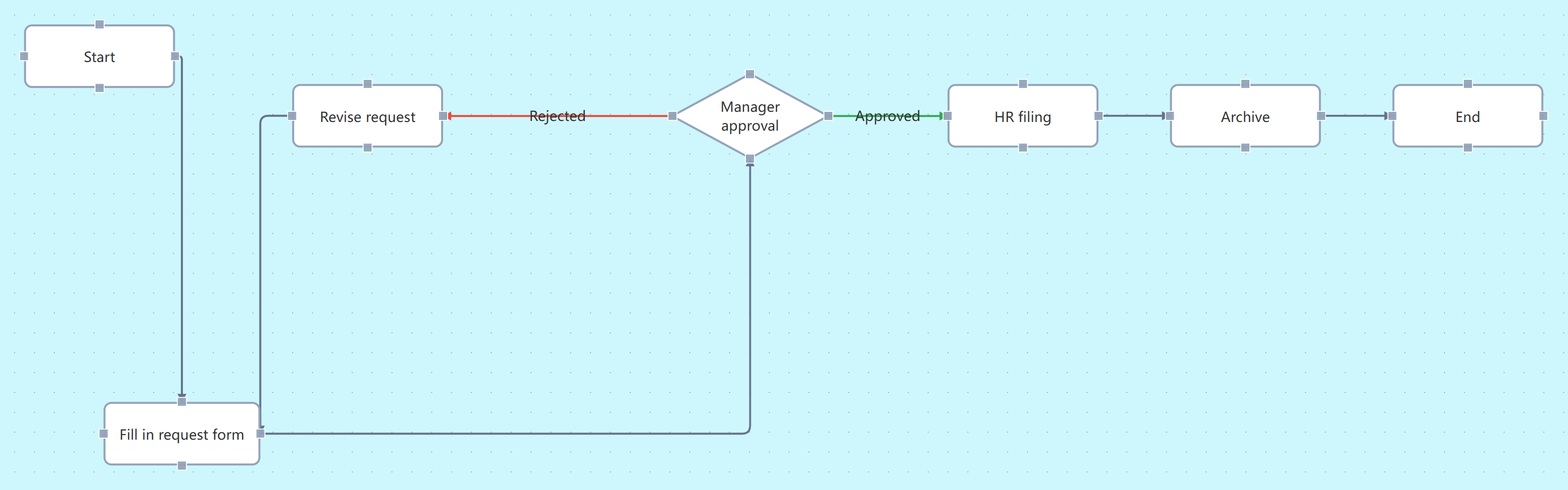
Even rough sketches become clean engineering diagrams — trunk aligned, branches leveled, loops routed; hand-arranged layouts keep their places.
Aligned trunk Routed loops Zero displacement after
Before · hand-arranged draft
Before tidy-up: a hand-arranged leave-approval draft — wavy crossing lines, a red rejection line cutting across, nodes unaligned
After · clean engineering diagram
After tidy-up: the trunk aligned vertically, the rejection loop routed along a right-side lane, pass labels in place, orthogonal lines with zero crossings

The same draft, before and afterNo line crosses any node

02

172 shapes,
all in

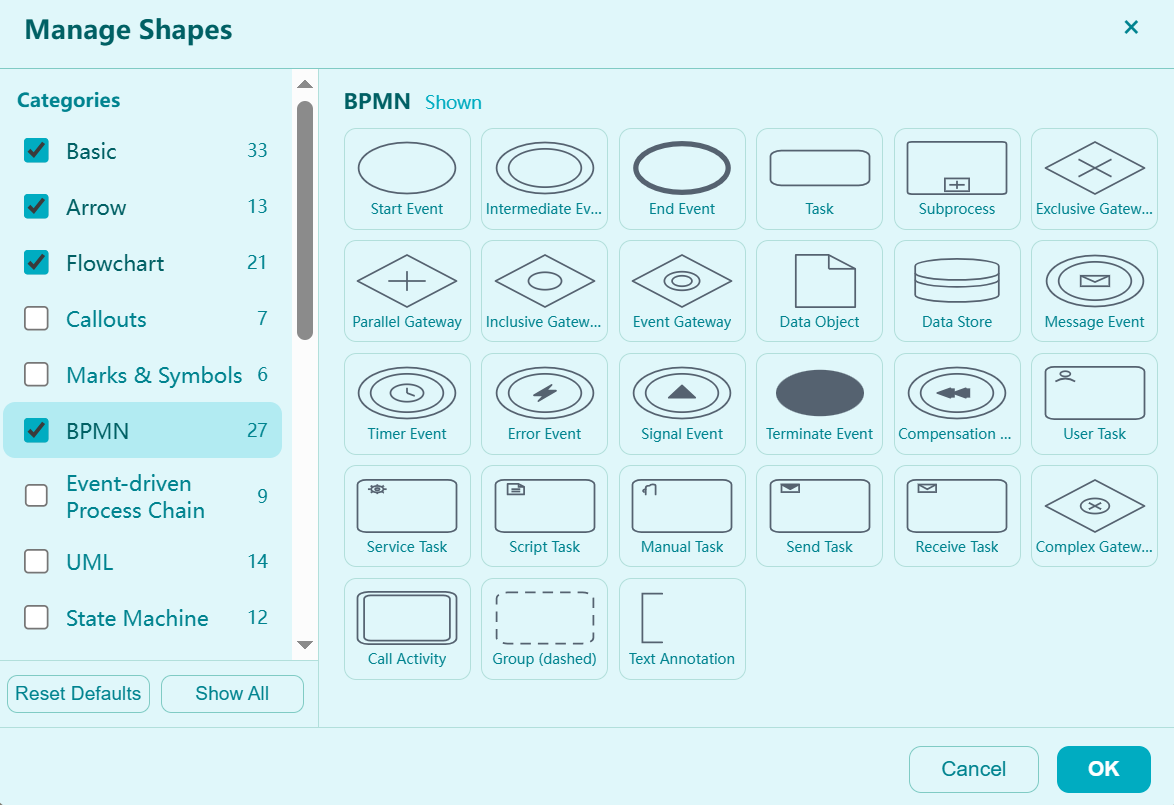
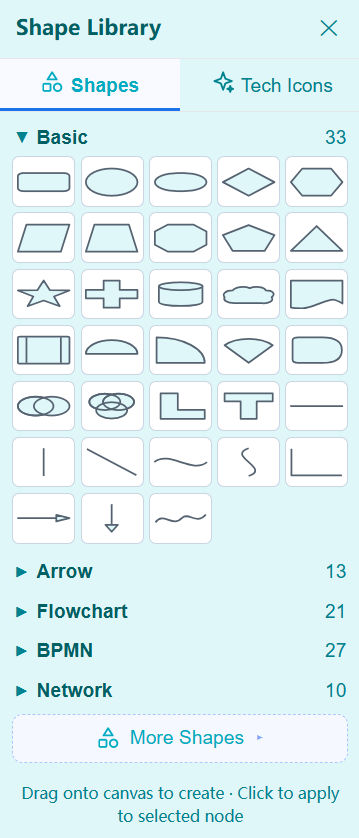
Common shapes are one click from the sidebar; search the library for the rest — basic, swimlane, BPMN, state machine and line families, nothing missing.
Swimlane BPMN State machine Line family
Shape manager dialog (themed with the UI): a category checklist — Basic 33, Arrow 13, Flowchart 21, Callouts 7, Marks & Symbols 6, BPMN 27, Event-driven Process Chain 9, UML 14, State Machine 12 — with the BPMN shape grid and restore-default / show-all
Shape library sidebar: Shapes / Tech Icons tabs — Basic 33, Arrow 13, Flowchart 21, BPMN 27 and Network 10 one click away — More Shapes opens the manager

One click from the sidebar · drag to canvasMore shapes · full category manager

03

Skeleton blocks,
ready on click

Trunk, branches, parallel, loops, approval chains — click to insert, auto-wired; horizontal and vertical pairs included, a flow skeleton in seconds.

Yes/no branch Retry loop Approval chain Auto-wired on insert
Skeleton library
Structure Blocks panel: Attach Blocks 8 — if/else branch, three-way parallel, retry loop, approval chain, horizontal variants and a subprocess block — plus Starter Blocks 2 (vertical / horizontal trunk) and Structure Blocks, with role-colored thumbnails — amber decisions, blue steps, green starts, red ends
Inserted diagram
Three-way parallel skeleton inserted: a node splits into three parallel branches and converges below — selected and ready to rename, connectors wired automatically

One click lands the whole structureSelect a node and it wires itself in

04

Creative flows —
diagrams as illustration

Round icon nodes, bold ribbon connectors, S-curve / cycle / staircase / bead layouts — ready for report covers, article art and posters; flows no longer look all alike.

S-curve · cycle · staircase · beads Icon nodes · ribbon connectors One-click templates
MemoBrain · Creative Flow
A creative flow in S-curve layout: six round icon nodes (bulb, pen, wrench, magnifier, bolt, trophy) linked by a bold purple ribbon, with title and description placeholders above

Creative templates land in one clickIcon nodes · double-click to edit

Now, draw your first flowchart

Start free — tidy the draft, skeleton the structure.

Local data · Works offline